All features

Know what you have, where it is and what it cost.

Every stock change is recorded with who, why and at what cost. Add suppliers and bins when you need them, on the same count.

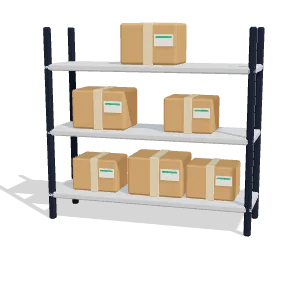
One list of everything you stock.

Search by name, SKU or barcode. Filter what is running low or sold out, and fix a count in a few taps.

  • Set a count, add or take away
  • Every correction has a reason
  • Tick many products and correct them together
  • History says who changed what
  • History is never edited

See what your stock is worth.

Stock is valued at a moving average, by product and variant. Each receipt with a cost updates the average.

  • Value and cost for each product
  • No cost yet reads not known
  • Units with no cost shown apart
  • Goes into your books when they are on
  • Cost of goods booked on delivery

The first to expire goes out first.

Receive stock under a lot number with an expiry date. Sales take from the lot that expires first, and every lot keeps its trail.

  • In date, expiring soon or expired
  • Open a lot to see its trail
  • Returns go back into the same lot
  • One lot number, one expiry date
  • Show what expires within your warning days

Hear about it before you run out.

Each product has its own low-stock level. When a sold-out product comes back, shoppers who asked get an email.

  • Low stock list, emptiest first
  • Start a purchase order from the list
  • A Notify me button on your shop
  • See who is waiting for what
  • Sell rate and days of cover in reports

Buy from suppliers without the back and forth.

Each supplier has a catalogue with prices, pack sizes and lead times. New orders pick up the price and round up to whole packs.

  • Terms like 2/10 net 30
  • Reorder suggestions with supplier names
  • A PDF, or an email with a link
  • Receive part of an order, or all
  • Send goods back with a return

Goods in, and onto the right shelf.

Warehouses, zones and bins give every unit a place. Goods land at the dock, then a putaway task takes them to a bin.

  • Shelf, pallet, floor or cold storage
  • Damaged units noted, never stocked
  • Putaway suggests a bin
  • Your own rules by SKU, tag or category
  • Move stock between warehouses

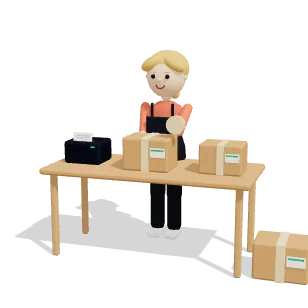
Pick in bin order. Pack, check, ship.

Generate pick lists or group orders into a wave. Each line names the bin with the most of that product, in walking order.

  • Pick lists from up to 100 orders
  • Waves with a priority
  • Short picks are said plainly
  • Pack into numbered boxes
  • Print a packing slip

Counts and returns that fix the stock.

Count a zone, some bins or the whole warehouse. Grade what came back, and only the good units return to stock.

  • Blind or guided counts
  • Differences wait for your review
  • Grade each returned line by condition
  • Restock, quarantine, scrap or refurbish
  • Return to the vendor, or donate

See how the floor is doing.

Reports read the last 30 days unless you pick a span. A figure with nothing measured stays empty, never 100%.

  • Units received, picked, packed and shipped
  • Picks in full and count accuracy
  • Space used by warehouse and zone
  • Picks and packs per person
  • Stock value by warehouse and category

And the small things that matter.

  • Bundles

    A bundle holds no stock. Its parts move when it sells.

  • Stock set aside

    See what is held for orders, sent or given back.

  • Locations

    Add places and move stock between them. Moves never change the count.

  • Mismatch check

    Find counts that no longer match their history, and bring them level.

  • Reorder alerts

    Critical at zero, warning above, and they clear when stock is back.

  • Workflows

    A completed pick, a low stock alert or a landed transfer can start one.

  • Ask the assistant

    Where is this product, and what needs attention in the warehouse?

Common questions

Which plan includes this?

Inventory and purchasing come with Growth and up, and the warehouse screens need Inventory. Several warehouses come with Business and up.

I sell on Shopify. Who owns the stock count?

Shopify does. Commstate reads the count from your store and records each update in your stock history. It does not write stock back to Shopify.

Can I start small?

Yes. Inventory works with one location. Turn on the warehouse screens later and your first warehouse takes over that stock. Turn them off and every count stays where it was.

Does it scan barcodes?

The Android app reads a barcode or SKU label and shows the product with its stock. On the web you can search by barcode. Picking, packing and counting are done on screen, with quantities typed in.

Does a returned parcel go back into stock?

A customer return or a refund with restock puts units back. A parcel that comes back undelivered does not do this on its own today, so correct the count or log it as a warehouse return.

Try it on your next order.

Connect your store and let one order run through. 14 days free, no card.